Creator tools
Scrum Board Solo
Plan personal tasks on a simple offline Windows kanban board. The Windows app, editable source code, and instructions are included.
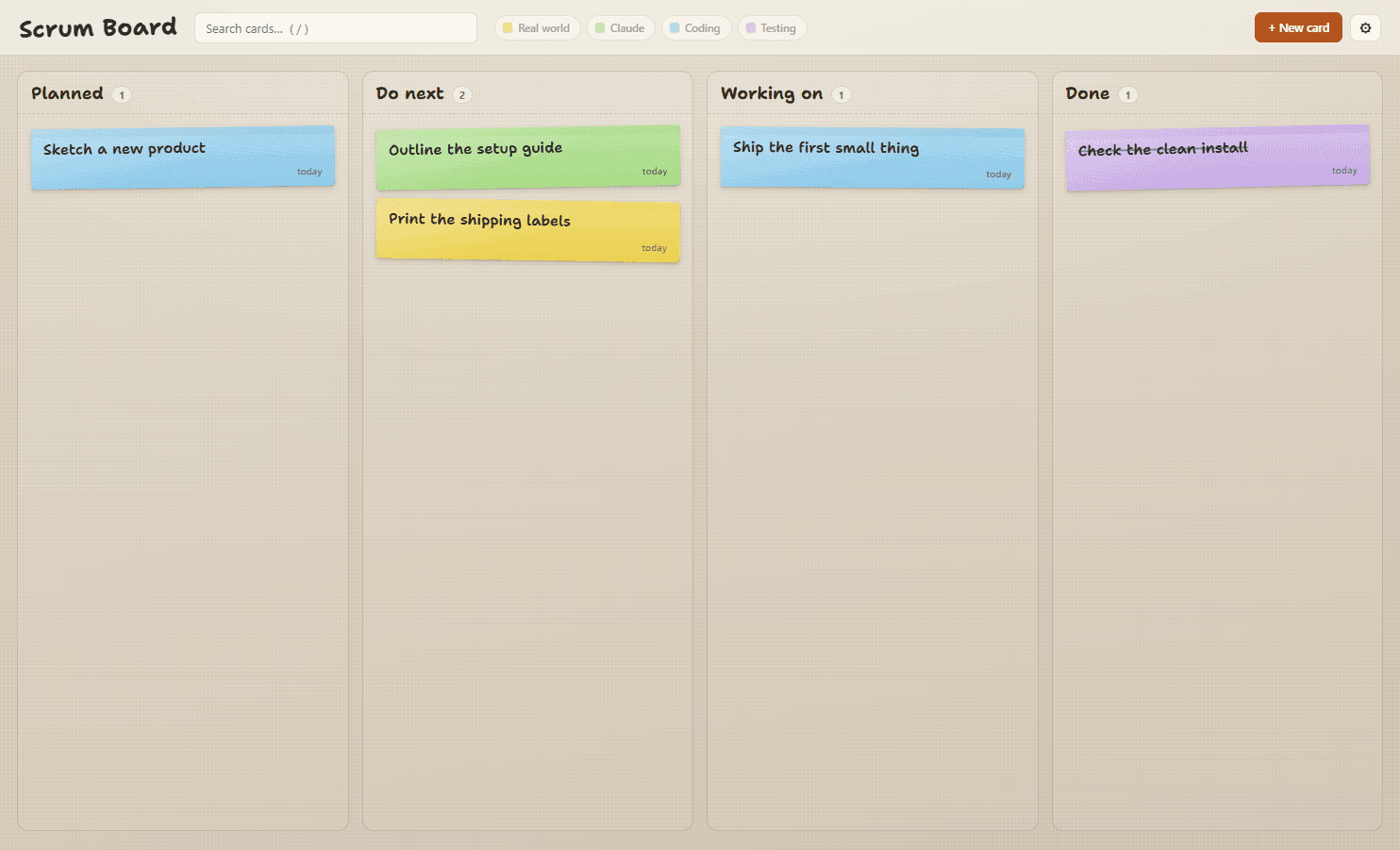
The working app with sample tasks. One person, one local board.
A place to decide what deserves your attention.
Some days your work is spread across code, errands, testing and ideas for later. Put it on a small desk of sticky notes, choose a few things to do next, and let the rest wait.
Scrum Board Solo is a personal kanban board with a paper feel. It keeps the list visible without asking you to manage a project-management system.
Small details that make the desk useful.
Four columns. A little breathing room.
Planned is the pile. Do next is your shortlist. Working on is what is actually open. Done is the reward.
Notice the notes you keep postponing.
Cards in Do next and Working on gradually fade, curl and collect a coffee ring. The backlog can wait without looking overdue.
A gentle limit on doing everything.
Working on warns when you pass your chosen limit—three by default. You can still move the card; the reminder helps you choose.
Your board stays on your computer.
Plain JSON storage, daily local snapshots, search and an archive for older completed work. No account and no required AI service.
Open it. Write a note. Choose what comes next.
- 01
Extract the Windows download.
Keep the folder together and open Scrum Board.exe. No developer setup is needed.
- 02
Press N to write your first card.
Add a title, a note if you need one, and a color for the kind of work.
- 03
Keep Working on small.
Drag cards or move them through the card editor. Search with /, and use the gear to adjust the desk.
Before you buy
- Windows 10 or 11 on a 64-bit Intel/AMD PC. Mac, Linux and mobile builds are not included.
- An unsigned portable app: Windows may show an unrecognized-publisher warning, and managed computers may block it.
- Local storage for one person. No cloud sync, shared boards, automatic updates, approvals or payments.
- Editable source is optional. Running from source needs Node.js 22.12+ and an internet connection for setup.
A few things to know.
Can two or three people share it?
This release is for one person. It has no accounts, shared editing or remote storage. A shared or cloud-synced data folder is not supported as team collaboration.
Do I need to build it myself?
No. Extract the Windows ZIP and open Scrum Board.exe. The separate source ZIP is included if you want to inspect or modify it.
Why buy this when free boards exist?
Buy it if you like this particular desk: aging paper notes, a short working list and a small local app. You are paying for the prepared download and guide. The included source retains its MIT license.
Does it need Claude Code?
No. Green cards are usable as ordinary notes. If you separately install Claude Code, the play button copies a prompt and opens a terminal for you to paste it. Accounts and any usage charges are separate.
Where does my work go?
Your Windows user-data folder holds board.json and up to ten daily snapshots. The guide explains backup and restore. There is no hosted backup; keep a separate copy of important work.
Does it handle freelancer approvals or payments?
No. Done is simply a task column. Approval workflows, payment tracking and collaboration are outside this release and are not promised as included future upgrades.